When to use this: The laptop is frozen, won't wake from sleep, or won't respond to the power button at all.
What you'll need: A straightened paperclip or SIM eject tool.
Steps:
- Disconnect the AC power adapter and remove any dock, USB devices, peripherals or connected cables.
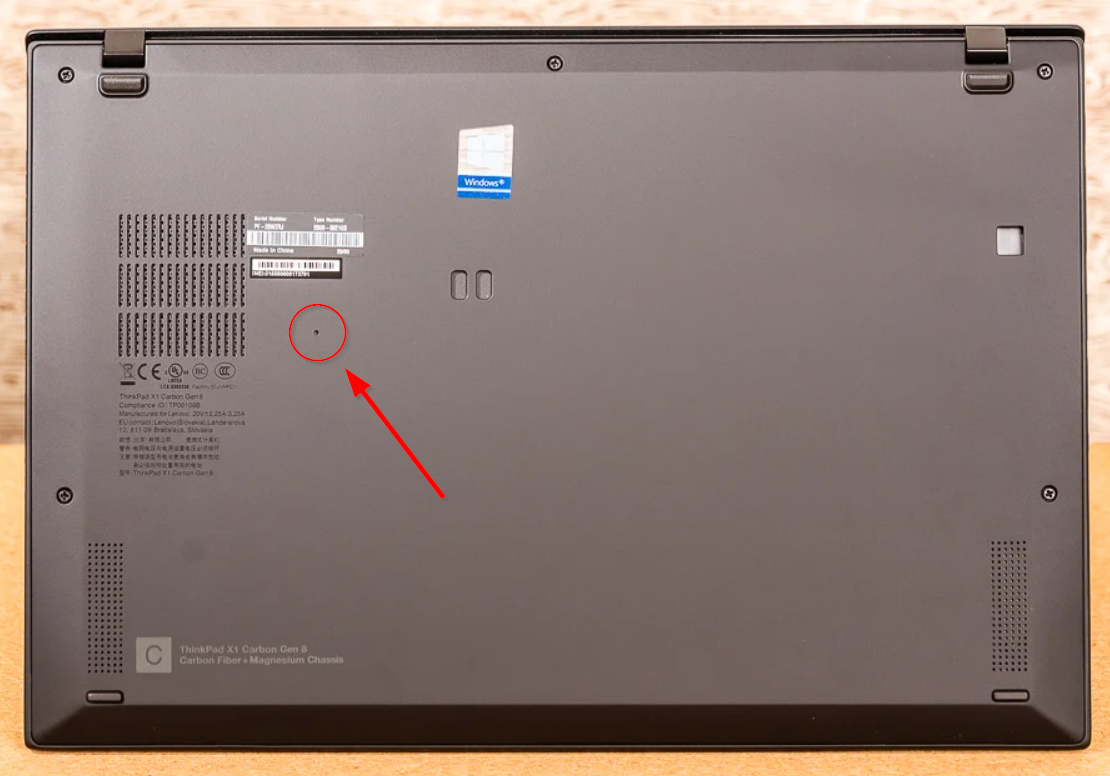
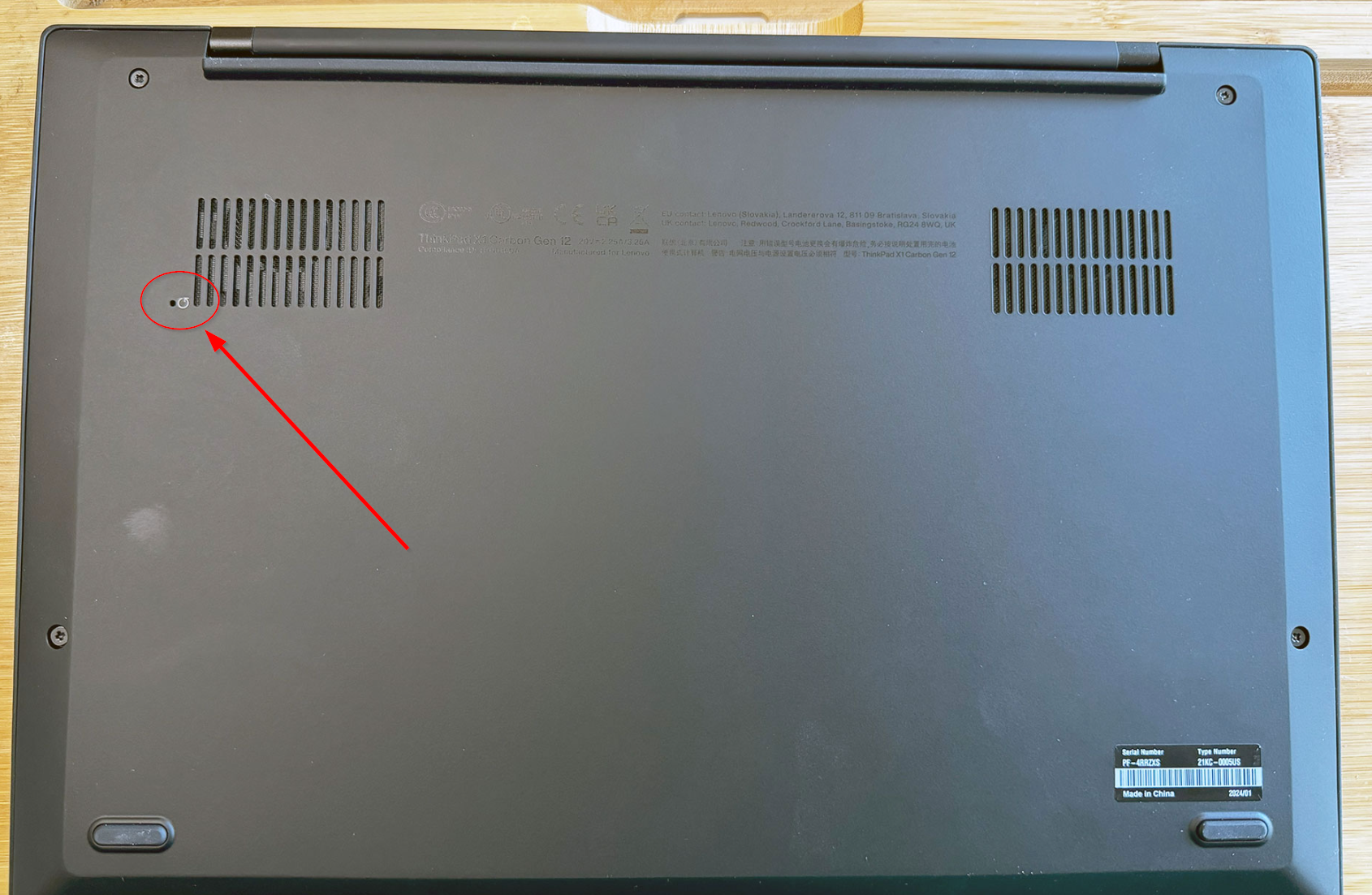
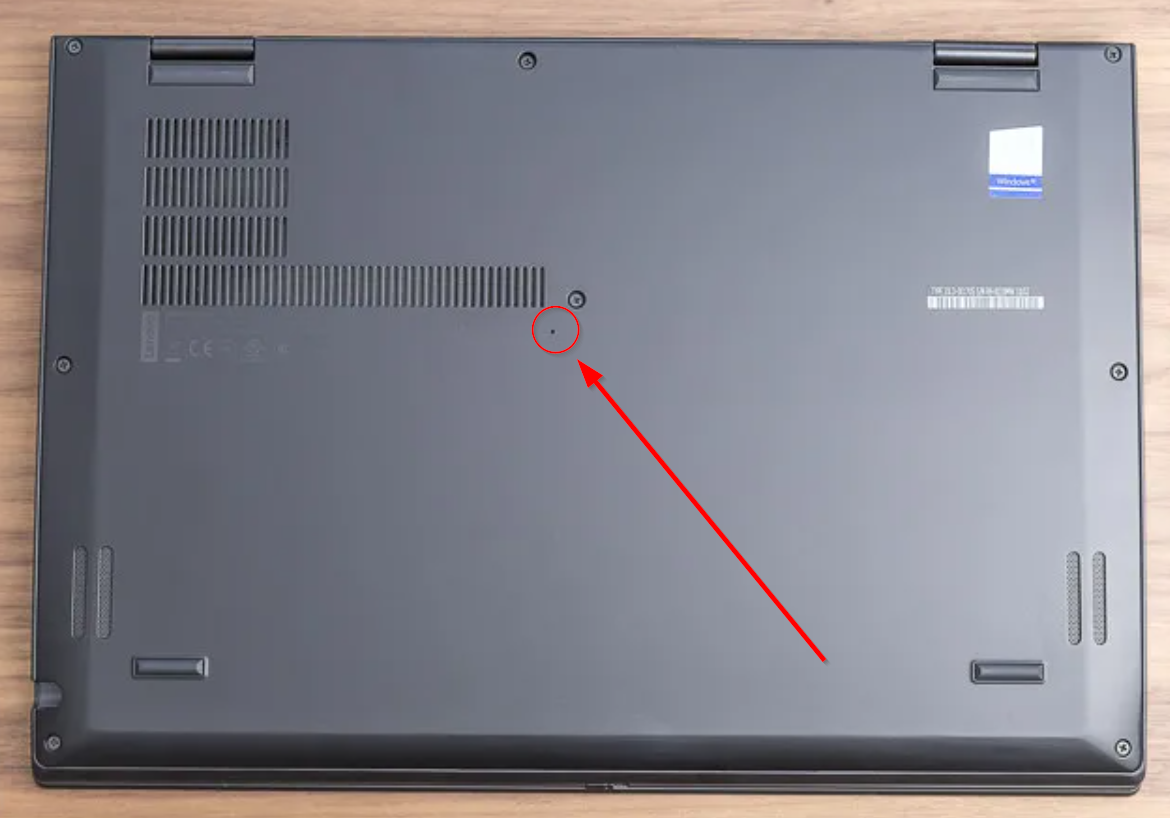
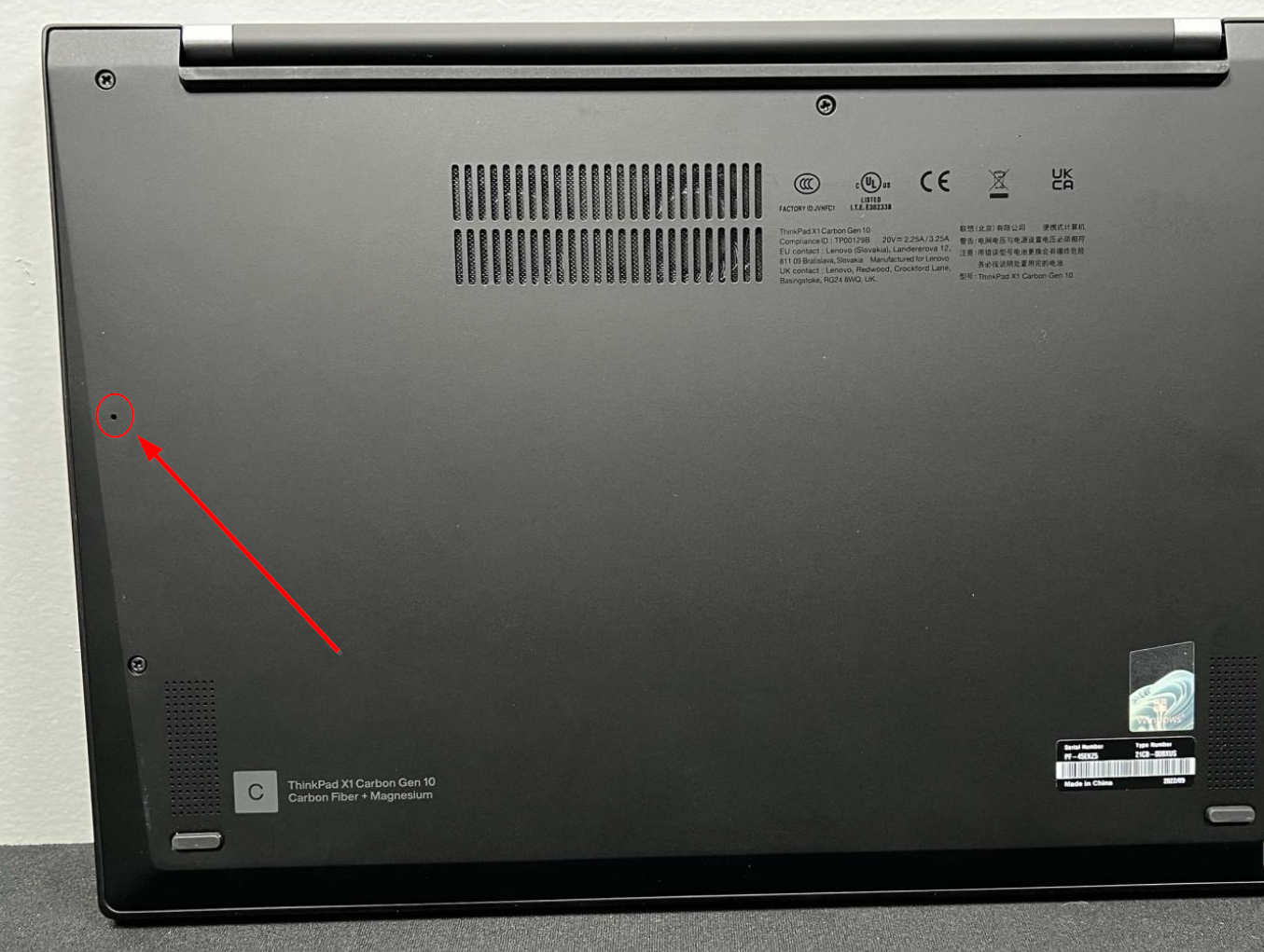
- Turn the laptop over. The emergency reset hole is on the bottom, it is a single small hole separate from the speaker/vent holes. See location examples below.
- Insert the straightened paperclip into the hole and press. You should feel a button press/click. Lenovo's official guidance is a press and hold for 15 seconds to reset an unresponsive device.
- Remove the paperclip, turn the device back over.
- Reconnect the AC power adapter.
- Press the power button to turn the laptop back on.
- Once it boots, reconnect any peripherals and confirm it's working normally.
Note: This is a hardware power reset only. It does not reset BIOS/UEFI settings, wipe data, or affect Windows.
Example locations of the emergency reset hole are as follows