
Sometimes your phone holds onto an old Microsoft account, which can cause sign-in trouble in apps like Outlook, Slack and Endpoint. This usually happens when your device is still signed into an account from a different organisation. Here's the fix:
- Open https://outlook.cloud.microsoft/mail/ in your mobile web browser.
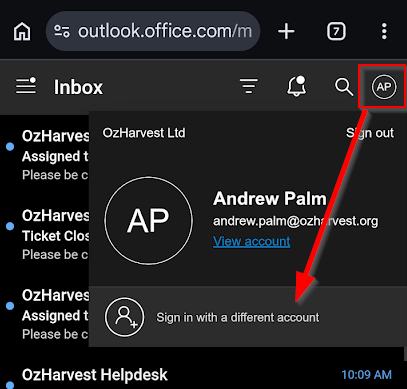
- Tap your profile/picture in the top right corner.
- Tap Sign in with a different account, then Use another account.
- Enter your OzHarvest email and password to sign in.
While you're there: it's a good idea to clean up any old accounts you no longer need. Tap the three dots next to an old account and select Sign out and forget.