

This guide will help you configure Slack on your mobile with your OzHarvest Slack Account
Setting Up Slack on Your Mobile for OzHarvest
- Download the Slack app from your phone's app store (App Store or Google Play). No need to open it yet.
- Open your web browser and go to:
https://ozharvest.slack.com - Tap Sign in with OzHarvest Account.
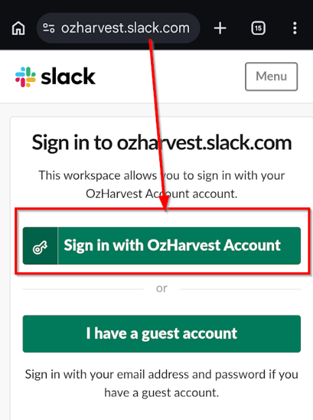
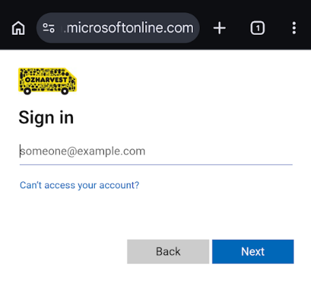
- You'll be redirected to the Microsoft sign-in page. Enter your OzHarvest email address and password, and complete MFA if prompted.
- Tap the green Open Slack button.
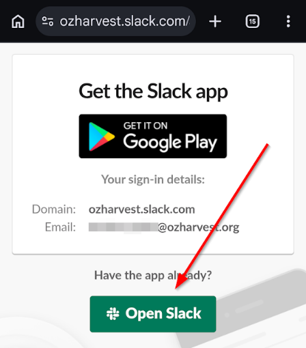
- The Slack app will open, signed in with your OzHarvest profile.
- Tap Allow if prompted to turn on notifications, so you don't miss any messages.